
A laptop, two monitors, a phone, earbuds, a backup drive, and a separate charger brick for nearly every one of them. That’s most home desks right now, honestly, and it’s exactly the mess this dock cleans up.
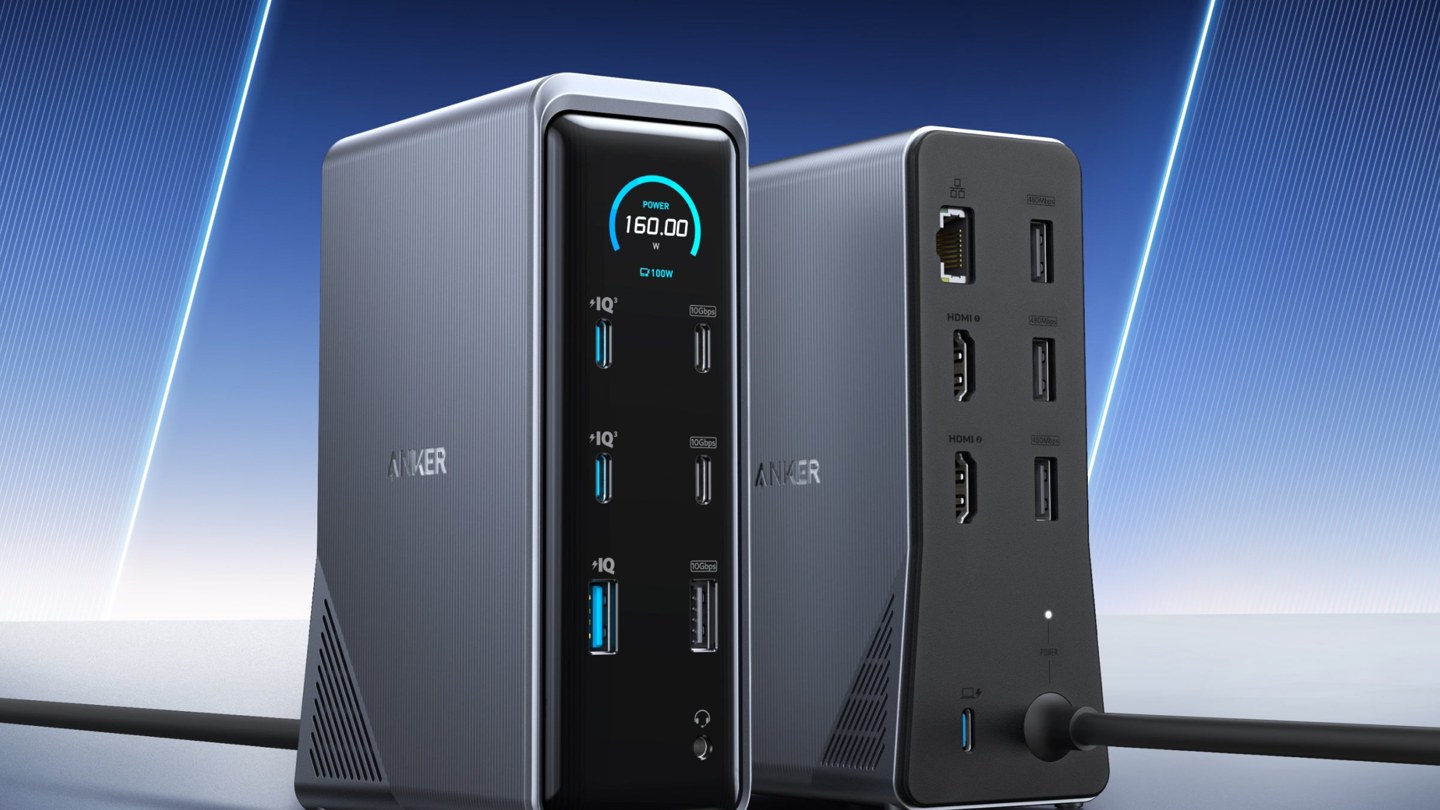
Anker’s Prime Charging Docking Station packs 14 ports into one upright box, and it’s selling for $179.99 right now. That’s $90 under the $269.99 list price. A 33% cut, not a token trim.
One cable runs the whole setup. Screens, power, storage, wired internet, all of it.
That’s the pitch. Here’s the detail.
One cable in, a whole desk out
The routine is simple. Drop the laptop on the desk, plug in the single USB-C cable from the dock, and everything connected to the box wakes up at once. Monitors light up, the drive mounts, the keyboard and mouse connect, and charging starts without a second thought.

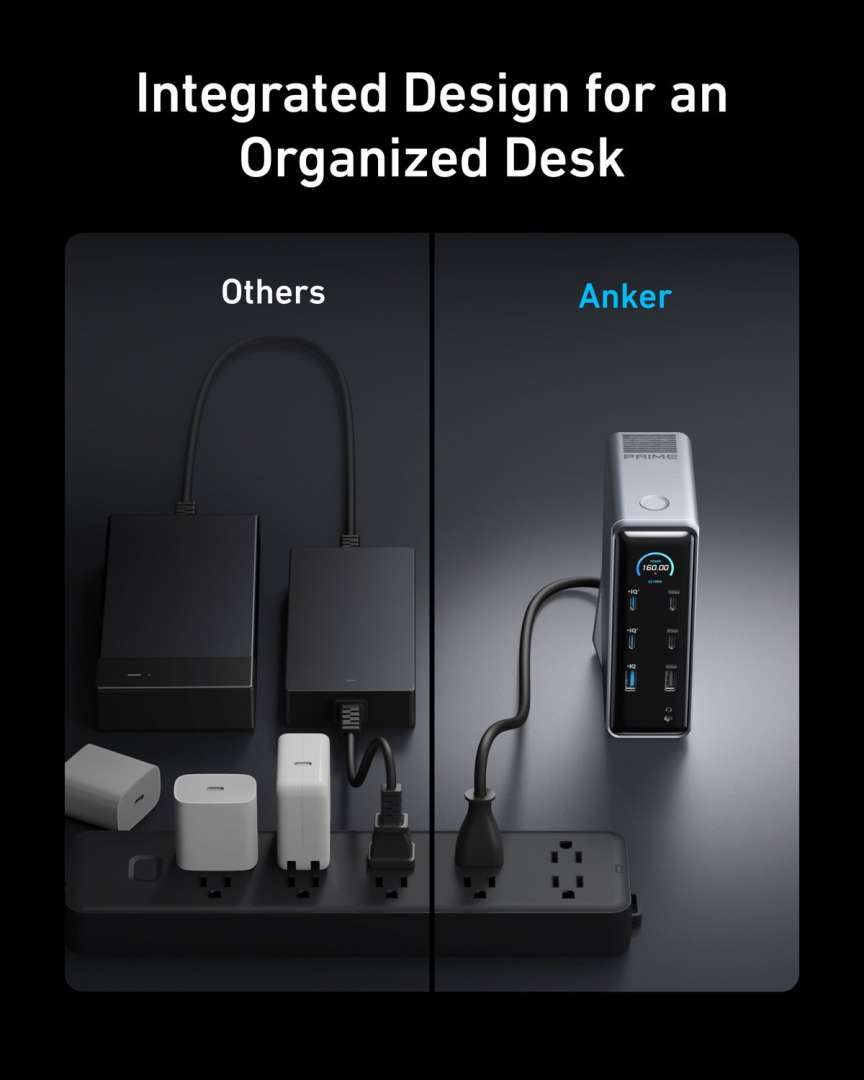
It’s a small change that adds up fast. Leaving is just as quick, since there’s one plug to pull instead of five. Anyone who carries a laptop between rooms, or between home and an office, feels that difference daily.
The dock itself stands upright, so it takes a narrow strip of desk rather than a wide slab. It measures 5.51 by 3.82 by 1.85 inches and weighs 1.96 pounds. It’s desk furniture, basically, not a travel dongle, and it isn’t trying to be one.
There’s also a money angle hiding in the clutter. A separate hub, a laptop charger, a phone charger, and a couple of adapters bought one by one add up to real money. Each one also brings its own cable. Each one brings a little power brick fighting for space on the same strip. This box folds all of that into a single purchase and a single plug, which is a cleaner way to spend the same budget.
Two 4K screens, with one Mac catch
Two HDMI 2.0 ports drive two external monitors at up to 4K and 60Hz. On Windows, each screen shows its own content, so a document, a browser, and a call can sit side by side without stacking windows on the laptop’s smaller display.
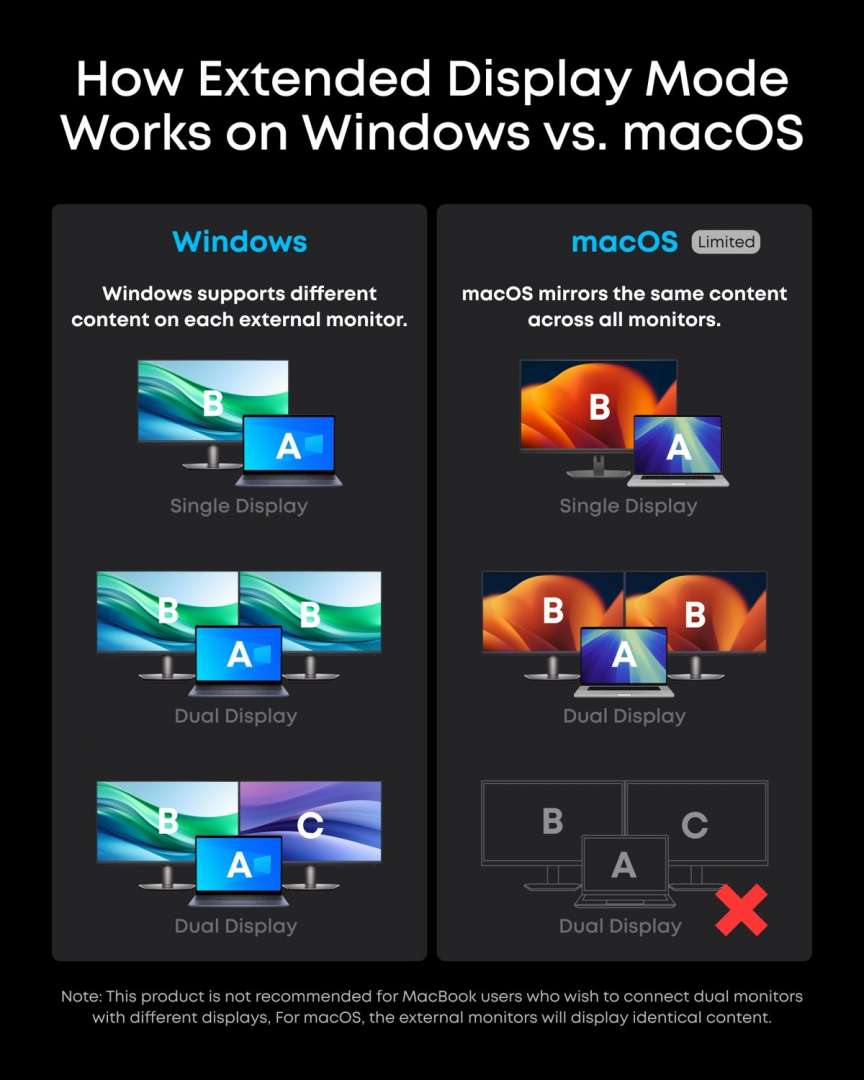
Mac owners get a real caveat here. On macOS, both external monitors show the same image. There’s no extended dual-screen layout, and that’s a hardware-level limit Anker states plainly. Linux isn’t supported at all.
Windows 10 and 11, macOS 11 or later, and ChromeOS are on the supported list. For a Windows desk, the dual-screen setup is the headline feature. For a Mac desk wanting two different external screens, it isn’t.
Two screens change how a desk feels.
160W of power, and a screen that keeps score
Charging is half the job here, and the numbers are strong. Total output reaches 160W, with up to 100W sent to the laptop through the upstream USB-C cable. That’s enough for most work laptops at full speed, with power left over for a phone and accessories.
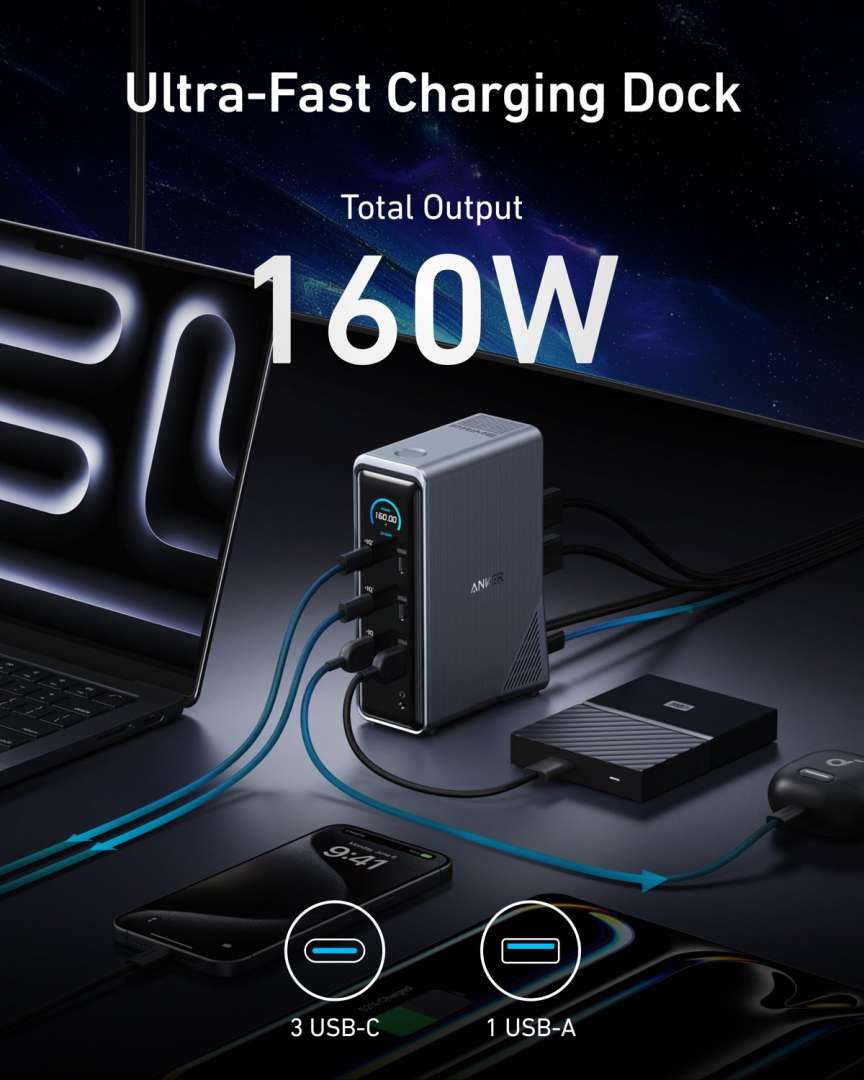
The little smart display on the front shows what’s happening. It reports the power draw, so a slow charge stops being a guessing game. If a cable or port is limiting things, the screen gives that away quickly.
Three USB-C ports and a USB-A port sit up front for charging and quick plug-ins. A phone tops up next to the laptop instead of hunting for a spare brick behind the desk. Small thing. It gets used every day.
Battery anxiety mostly disappears with a setup like this. The laptop stays topped up through the workday, the phone sits at full by lunch, and earbuds or a tablet can borrow the spare front ports whenever they need them. Nothing rotates off a charger anymore. Everything just lives at full, plugged into the same box, and that calm is a bigger upgrade than it sounds on paper.
Fourteen ports, counted properly
The back panel carries the permanent wiring. Two HDMI ports, a 1Gbps Ethernet jack for wired internet, USB-A and USB-C data ports, and an audio jack all live there. Data speeds reach 10Gbps on the fast ports, so moving big files to a drive doesn’t crawl.
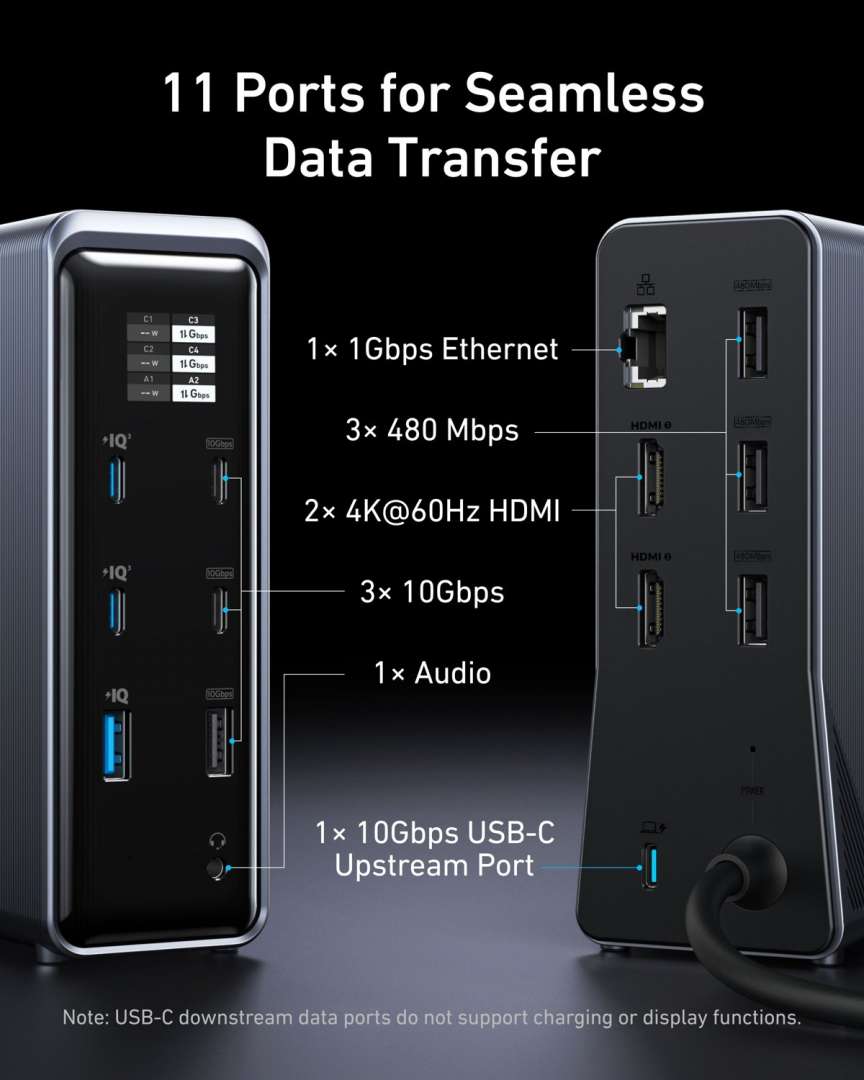
In the box, there’s the dock, a 3.3-foot USB-C upstream cable rated for 100W and 10Gbps, and a safety sheet. Nothing exotic is missing, and nothing extra needs buying before setup. Setup is plugging things in, once, in the right order.
This is the A83B6 charging dock, and it’s worth not confusing it with Anker’s Thunderbolt 5 dock, which is a different, pricier box. This one bets on charging power and port count instead of Thunderbolt bandwidth. For most home desks, that’s the right bet.
Buy: a Windows laptop desk running two monitors, where one plug should start and end the workday. At $179.99, the $90 saved covers the cables and adapters this box replaces, with change.
One plug in the morning. One plug out at night.
Skip: a Mac setup that needs two different external screens, or any Linux desk. Wait: nobody here, really. A 33% cut on a dock that’s already the tidy-desk answer is the price to take.