
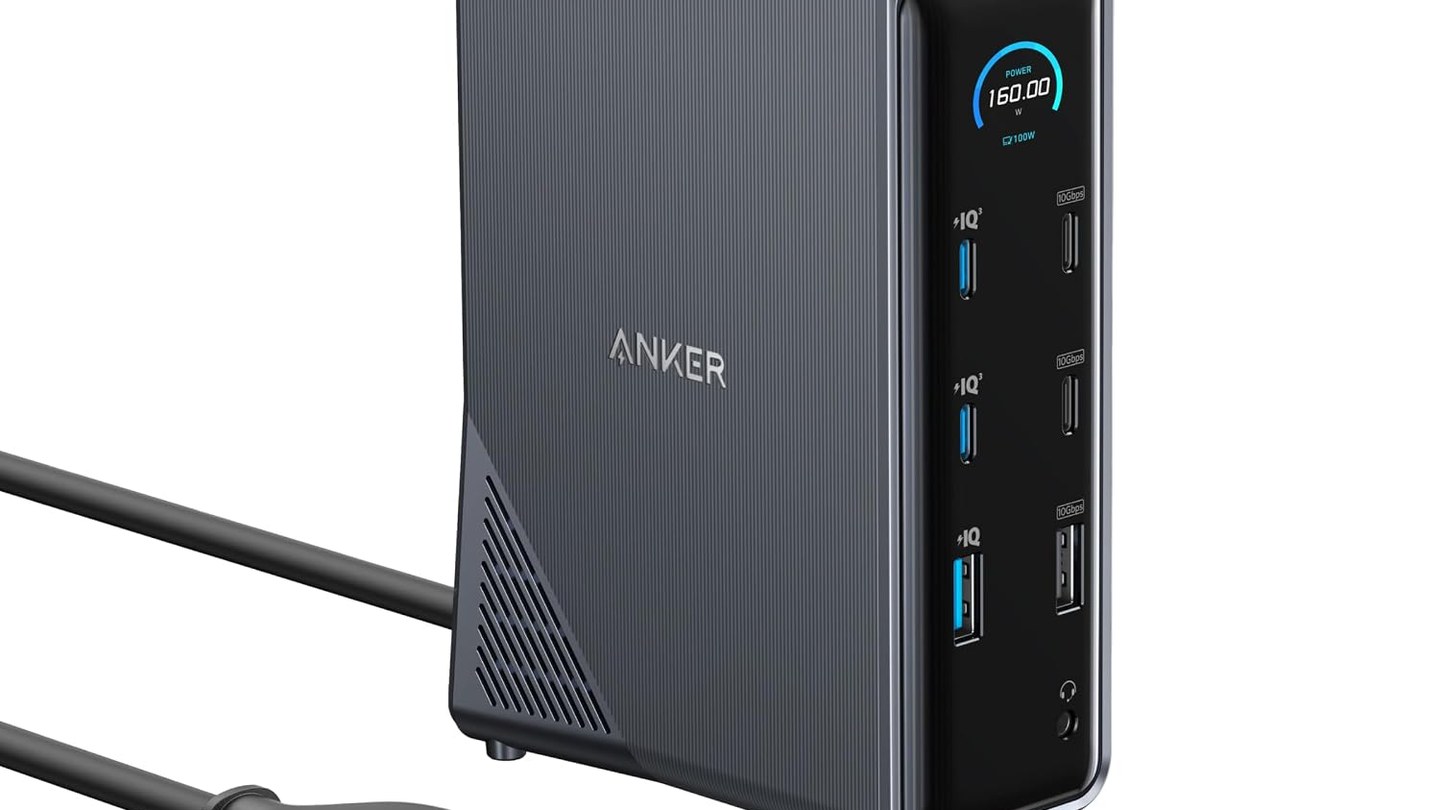
My desk used to collect chargers the way a kitchen drawer collects batteries. Laptop brick under the monitor stand, phone cable sliding off the back edge, a hub that only worked when I held my mouth right. One box that handles the laptop, both screens and the small stuff is the version of this desk I have wanted for two years.
The Anker Prime Charging Docking Station is that box right now at $179.99, which is $90 under its $269.99 list. A third off a dock I would use every single workday is a different conversation from a third off a novelty, and the port count backs it up.
Fourteen ports, sorted by the job each one does
Fourteen ports sounds like a spec sheet flex until you map them onto a real desk. Four USB-C and five USB-A ports cover the mix most of us actually own, the new drive and the old one, the webcam, the keyboard receiver, the ring light. Ethernet and audio sit on the same box, so the laptop lid can stay closed and the desk stays a desk.

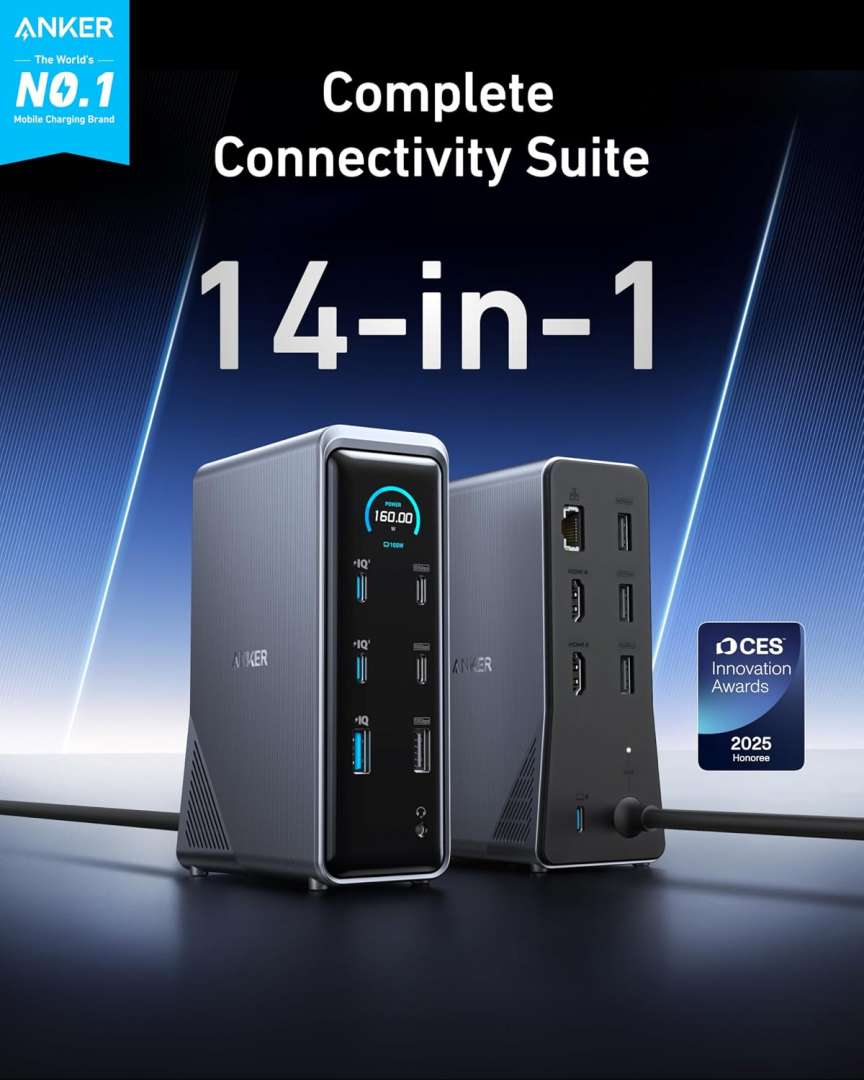
One upstream USB-C cable ties it to the laptop at 10Gbps, and that single cable is the whole routine. Sit down, plug in, screens wake, drives mount, charging starts.
Wired Ethernet is the quiet upgrade in that list. Calls stop depending on whichever way the Wi-Fi feels that afternoon, big file moves finish while the coffee is still hot, and the laptop stays on the desk network even with its lid shut and its own ports asleep.
Fourteen ports also means fourteen cables with a home. Nothing migrates to the floor by Friday.
Undock is the same move in reverse. I grab the laptop and go, and nothing dangles off it like laundry.
Two screens at 4K, and one Mac caveat worth knowing first
Dual HDMI is the reason this dock earns its footprint. Windows laptops with DisplayPort 1.4 drive two external screens from it, and Anker rates the HDMI output at up to 4K at 60Hz, which keeps text crisp and scrolling smooth on the panels most home offices run.
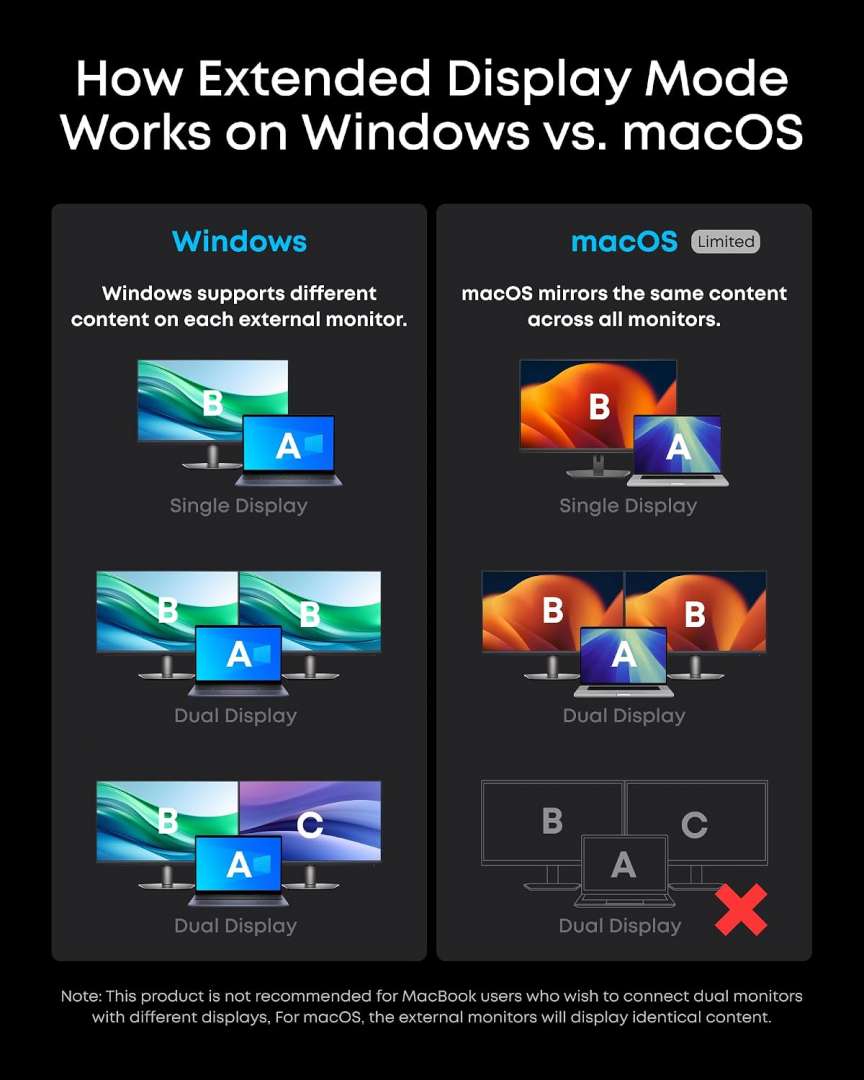
Mac owners get one clear limit, stated once. macOS does not support Multi-Stream Transport, so both external monitors show the same image instead of two separate desktops. If your work lives across two different screens, that single fact decides this purchase before price enters it.
That caveat aside, two matching screens at a steady 60Hz is the setup most spreadsheets, timelines and writing desks actually run. It is not a gaming rig pitch. It is a get-through-the-day pitch, and the dock lands it.
Linux sits outside the supported list too. Windows 10 and 11, macOS 11 or later and ChromeOS are the systems Anker builds this dock for.
Power for the laptop, the phone and everything smaller
The dock pushes 160W in total, with up to 100W flowing upstream to the laptop through that same single cable. A work laptop under a heavy render load holds its charge instead of slowly bleeding it, and the remaining power feeds the phone, the earbuds case and the tablet parked beside the keyboard.
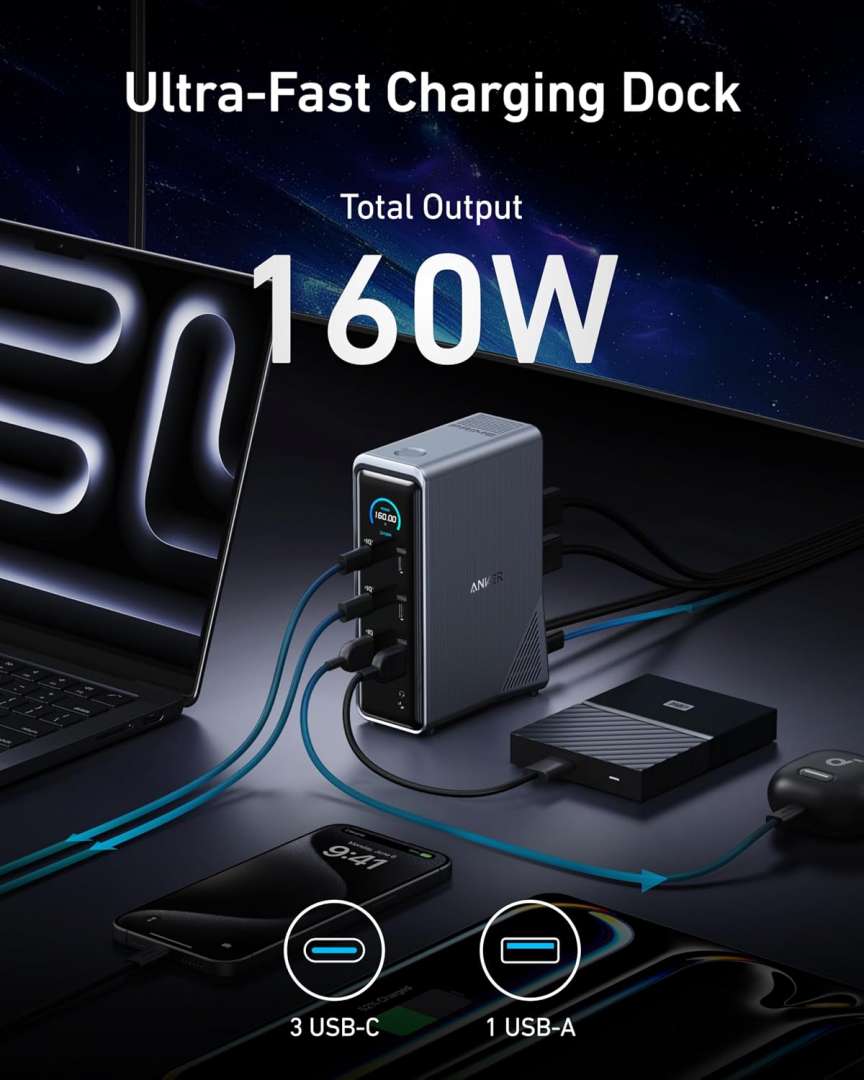
Anker’s Dock Manager app lets you set how that power splits between ports, which sounds fussy until a fast-draining phone and a hungry laptop land on the same morning. Set it once. Forget it exists.
The smart display on the front shows what the dock is doing at a glance, so a slow charge gets spotted at the desk instead of discovered at the airport.
A small footprint, with real limits priced in
The tower stands 5.51 by 3.82 by 1.85 inches and weighs 1.96 lb, with the power supply built into the GaN design instead of hanging off the desk as a separate brick. It sits as one tidy object next to a monitor stand, not as infrastructure.
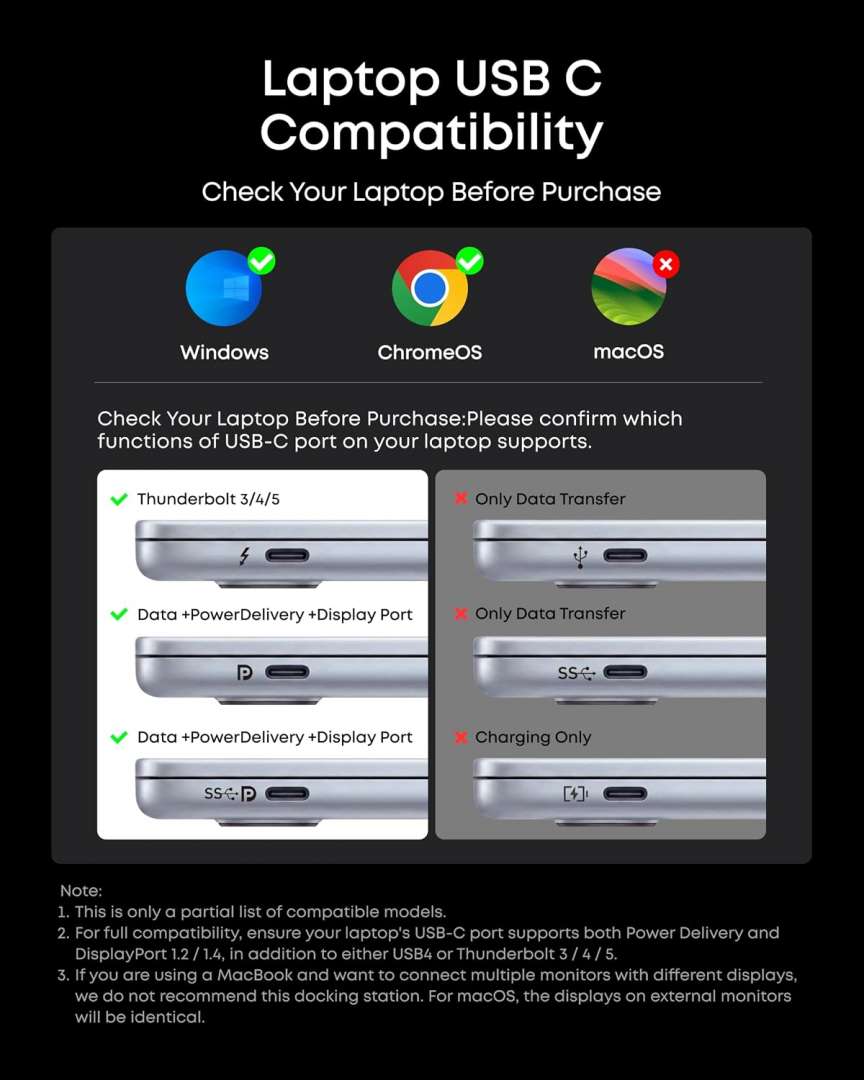
Two port rules deserve a plain read before you buy. The downstream USB-C data ports don’t carry charging or display signals, and the ports marked IQ charge only, with no data transfer. Neither rule is hidden, both are in Anker’s own notes, and they shape which cable goes where on day one.
In the box you get the dock, a 3.3 ft USB-C upstream cable rated for 100W and 10Gbps, and a safety sheet. Nothing exotic, nothing missing.
Who should walk past it? Anyone running a single screen off a laptop that already charges happily from its own brick pays for ports that will sit empty. And anyone set on Thunderbolt speeds should be shopping Anker’s Thunderbolt dock line instead, because this box is a charging dock first. Its job is power, screens and order, in that sequence.
The box, the cable and the quick start sheet are the whole unboxing. Ten minutes later the desk is done.
At $269.99 I would have told you to price two rivals first. At $179.99, with fourteen ports, dual screens and one cable between you and a clean desk, this is the dock I would buy for a work-from-home setup today, Mac mirroring rule and all.